
Claude Implementation Workshop


Bookkeeper-specific training on Claude for Xero, QuickBooks and MYOB — not a generic AI course. Learn exactly where to trust it, where not to, and how to actually use it on real bookkeeping work.

IMPORTANT: 


Everyone's Using Claude...... 

Not Everyone's Avoiding The Potholes.


LEARN IT NOW. AVOID THE MISTAKES. WORK FASTER.

Claude Implementation Workshop For Bookkeepers

HERE'S THE THING


At The Claude Lunch & Learn 

I Shared One of The Potholes... 


The Xero connector into Claude isn't completely reliable for everything it says it can do (*face palm*), and most bookkeepers find that out the hard way, mid-task, with a client's real numbers on the line. Double yikes!


That was the taste. This is where we actually BUILD the thing.

I do much better learning by doing than by watching, and I reckon you're probably the same — so that's exactly how these two sessions work. Implementation, not theory.


Your laptop, your (or sample) numbers, me right there while you build it, not a recording you half-watch while doing three other things.


Two sessions, hands-on the whole way. You'll leave doing the job faster, with fewer errors — not just "knowing about AI."

What You'll Learn 

(And Why It Really Matters)

SESSION #1:FOUNDATIONS 

(Wed 2 Sept, 11am–1pm)

You'll learn how to connect Claude to Xero, QuickBooks, or MYOB — so that you can ask real questions about a client's numbers in plain English, instead of digging through reports yourself.


You'll build on the golden rule from the Lunch & Learn with your own real (de-identified) data — so that you're never left wondering if what Claude just told you is right.


You'll learn to build a cashflow forecast and review a chart of accounts using Claude — so that the analysis work that used to eat an afternoon takes minutes, and you catch structural issues before they become client problems.


You'll learn to turn raw financial data into a plain-English client update — so that you stop staring at a blank email trying to find the right words to explain the numbers.

SESSION #2: SPEED & AUTOMATION 

(Wed 16 Sept, 11am–1pm)

You'll learn to create and update invoices and contacts directly in Xero through Claude — so that routine admin stops eating time you could spend on actual client work.


You'll learn to turn a photo of a receipt or a messy supplier invoice into clean, ready-to-enter data — so that you're not manually retyping information that's already sitting right in front of you.


You'll learn to bulk-categorise a bank feed instead of working line by line — so that reconciliation stops being the part of your day you dread.


You'll get hands-on with Claude for Excel — so that formula building, cleanup, and formatting happen inside your spreadsheet, not in a separate chat window you have to keep flicking back to.


What Waiting Actually Costs You


  • Manually doing work that other bookkeepers are already getting through in a fraction of the time

  • Second-guessing yourself every time a client mentions AI, because you genuinely don't know if you're behind or not

  • Walking into October's BAS season with the same workload you had last year — except everyone around you got faster

This isn't "learn AI or get left behind" scaremongering. It's simpler than that: the bookkeepers who figure this out properly now will have more capacity, less stress, and more room to take on the work that actually pays well — while everyone else is still manually doing the stuff Claude could've handled in minutes.


September's quiet. That's not a coincidence — it's the window before it gets loud again.

Claude Implementation Workshop for Bookkeepers

This Is Not a Generic AI Training...


There's a lot of "how to use Claude" content out there right now. Most of it isn't written for bookkeepers, and most of it doesn't know the difference.


Here's what that actually means in practice: the Xero connector is genuinely great at some things — quick lookups, cash position, who owes you money — and genuinely unreliable at others, like crunching a large dataset for real analysis. Generic AI training won't tell you which is which. It'll just show you the connector exists and let you find out the hard way which numbers you can trust.


Kelly's spent enough time in Claude and in real client books to know exactly where the line sits — when to use the connector, when to pull the data out and analyse it properly, and why that distinction is the difference between a confident answer and a wrong one with your name on it.


This isn't "here's an AI tool." It's "here's exactly how a bookkeeper uses it, and where it'll trip you up if nobody tells you first."

This Workshop Is For You If...


You've tried Claude once or twice, gotten a decent enough answer, and closed the tab without really knowing what to do with it next.

→ After this workshop: You'll have specific, repeatable steps you reach for automatically — no starting from scratch every time.


A client asks if you're "using AI," and you give a vague answer because honestly, you're not sure what actually counts as using it properly.

→ After: You can tell them exactly how you use it, and mean it.


Cashflow forecasts, chart of accounts reviews, and client updates eat a real chunk of your afternoon, every time you do them.
→ After: Minutes, not hours — and you'll know exactly when to double-check the output before it goes anywhere.


You're doing the same manual admin — invoices, contacts, categorising bank feeds — you were doing five years ago. Just more of it.
→ After: Half of it is drafted or done before you've even properly opened the file.


If any of that hits home, this workshop is for you.

Claude Implementation Workshop for Bookkeepers

Start Your Bookkeeping Practice

Do I need to attend the Lunch & Learn first?

I've never really used Claude before — is this too advanced for me?

What do I need to bring?

Can I ask questions during the session, or is it just watching a demo?

What if I use QuickBooks or MYOB instead of Xero?

What if I can't make one (or both) of the live sessions?

Do I need to attend both sessions, or can I just do one?

What do I actually walk away with?


Meet Your Facilitator


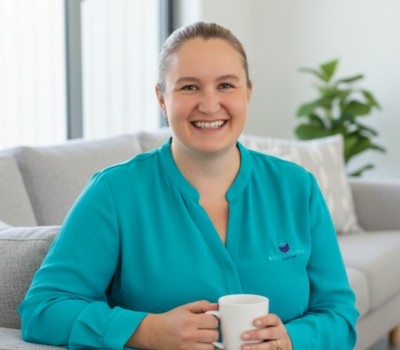
Kelly Berger

BOOKKEEPING PRACTICE EXPERT

KELLY BERGER

Kelly has been in the bookkeeping industry for over 20 years. She built her own bookkeeping practice from the ground up, systematised it, grew it, and sold it.


Along the way, she's watched the industry change constantly — new software, new compliance requirements, new tools everyone insists you need to be across. AI is just the latest one, except this time, she went and actually figured out where it genuinely helps a bookkeeper and where it'll quietly get you into trouble if nobody's told you first.


She's spent real hours in Claude, connected to real books, hitting the potholes so you don't have to — because she'd rather hand you the shortcuts than watch you find them the hard way, the same way she wishes someone had done for her.


Kelly now runs Bookkeepers Support, helping bookkeepers across Australia build, grow, and now — work smarter — with confidence.